

Test accounts
How Cloud runs sign in to the site they test, as accounts that are yours alone.
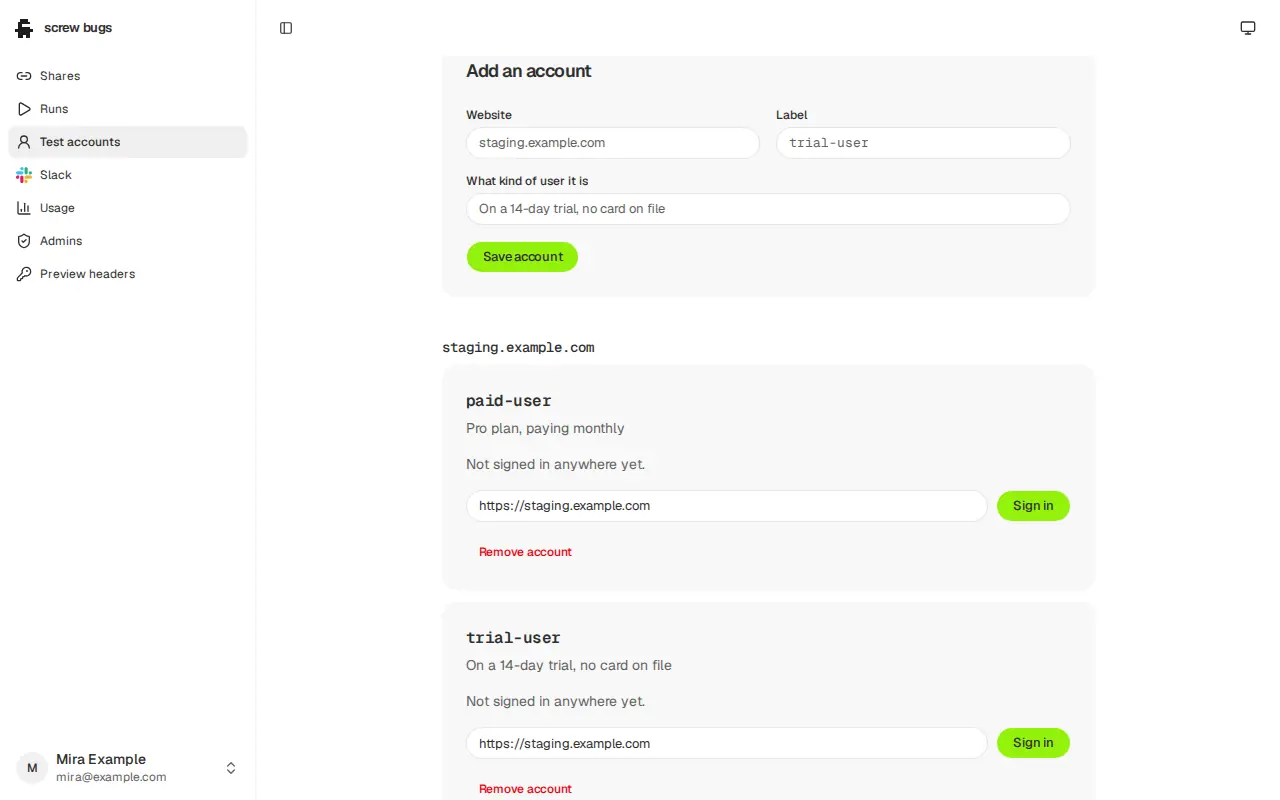
A test account is a user of the site you test, such as a trial user or an admin, that your Cloud runs sign in as. Add them on Test accounts (/accounts on screwbugs.dev); you sign in once, and your runs start from the saved session.
Not the same as local test accounts
Accounts saved by local screw-bugs (.screw-bugs/accounts.json) stay on your machine. Cloud
runs use only the ones on screwbugs.dev/accounts, even with the same label. Agents can't list or
add Cloud accounts: ask the user to check /accounts.
Yours alone, per website
- Each account is yours: nobody else's runs use it, admins' included. A run uses only its requester's accounts.
- Each account belongs to one website: its address without
https://orwww., such asstaging.example.com. - A repository's PR previews are one website, such as
app-git-{branch}-team.vercel.app. An account on it works on every preview, signed in once on each.
Adding an account
Add it
On /accounts, fill in Website, Label (such as trial-user) and What kind of user it is (such as "On a 14-day trial, no card on file"). Click Save account.
Sign in
On the account's card, give an address on the website and click Sign in. That opens a sign-in page (/sign-ins/<id>).
Sign in in the live view
Click Open the browser: a cloud browser opens at that address for 15 minutes, shown live on the page. Sign in to the site as you normally would, then click I'm signed in.
What you type in the live view goes to that browser only: it is never logged or saved. Only the session the site gives the browser is kept.
Which account a run uses
| You asked | The run signs in as |
|---|---|
--account trial-user | That account |
No --account | The one that fits what you asked, chosen among your signed-in accounts, or none |
The automatic choice reads your request and each account's "what kind of user it is". Nobody is asked anything before planning.
Sign-in requests during a run
When the planner finds that what you asked is behind a sign-in, and the run is signed out, it asks you.
- The bot asks on the PR or in the Slack thread (Slack: coming soon), mentioning you, with a link to
/sign-ins/<id>. - For an account you don't have yet, the page first asks you to Confirm the account: Claude suggests a label and what kind of user it is; change them if needed.
- Sign in in the live view, as above.
- The run plans again, signed in.
- Only you (the run's requester) can open that link.
- The run waits for your sign-in for 1 day.
- A run started on Start a run asks nowhere: its sign-in waits on
/accountsunder Sign-ins not done yet.
How it works
- A website is a host with the scheme,
www., a trailing dot and default ports folded away. A repository's saved preview pattern counts as one website. - The sign-in browser is a Browser Run live view of a browser a Workflow holds open (
SignInWorkflow). - The session (cookies and the tab's session storage) is sealed with AES-GCM, per account and per address, and opened only inside a run.
- Within a run, each signed-in browser starts where the last one left the account, for sites that rotate their tokens.
- A sign-in a trusted run made sends the repository's preview headers; others don't.
- The automatic choice is made by a small model through Vercel AI Gateway (
jobs/chooser.ts).
Code: apps/web/src/server/accounts (Cloud).