

First run
How to run a first test from your coding agent or the CLI, read the report, and get it fixed.
Ask your agent in plain words.
Pick one and paste it:
Start this project's dev server if it isn't running, then use screw-bugs to check that sign-up works.
Use screw-bugs to check what I just changed on the pricing page.
Use screw-bugs to test checkout on a phone-sized screen.
What happens:
- Your agent plans the tests.
- screw-bugs clicks through them in a real browser and records it.
- Your agent tells you what worked and what broke, with a link to the report.
Open the report
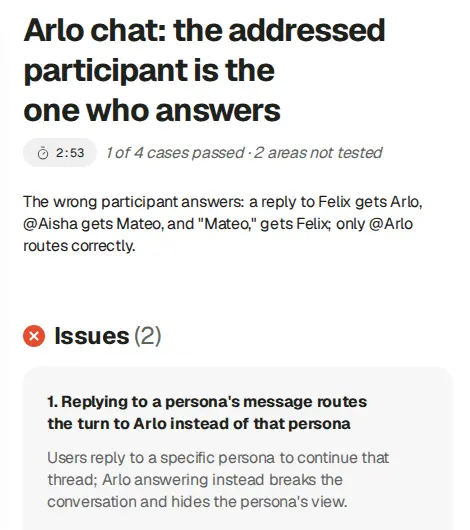
Click the link your agent gives you. The verdict is at the top, then each issue with its screenshot.
Get it fixed
The agent that ran the tests already knows the issues. Ask it:
Fix the issues screw-bugs found, then run the same tests again.
Got a report link from someone else (a PR comment, a teammate)? Paste it into your agent:
Fix the issues in this screw-bugs report, then use screw-bugs to run the same tests again:
Then paste the link after it. Fixing works without screw-bugs; running the tests again needs it (Install).
For agents
start_runwithurl,summaryandcases(job format, all arguments). It returns a job ID at once.run_statuswith thejobIdandwaitSeconds: 60, again until the run has ended.- Read the evidence, then
submit_findingswith your write-up, so the report shows it (format:npx -y screw-bugs@latest schema findings). - Give the user the report's
http://link and your summary.